

About n8n
n8n is a modern no-code/low-code automation platform designed to orchestrate business processes and integrate countless services without complex programming overhead. You don’t need to be a hardcore coder to spin up powerful automation pipelines for virtually any use case – just a mouse or touchpad is enough. Its fully intuitive visual drag-and-drop interface empowers you to build and wire up a single cohesive workflow with any logic you need for your personal or business processes.
With 700+ ready-to-go integrations on board, n8n lets you wire up popular apps and APIs into unified task chains. Among its highlight integrations, you’ll find Telegram, leading AI models (Gemini, ChatGPT, DeepSeek, and more), Google services, GitHub, Discord, Slack, and plenty of others.
Key advantages include fully open-source code, the ability to self-host on your own infrastructure, and highly flexible automation scenario customization. n8n is under active development and has already become one of the top open-source Zapier alternatives on the market – highly appreciated by users who need full control over their data. With n8n, businesses can fast-track order processing, notifications, marketing campaigns, and any other routine operations. Its simple visual workflow editing slashes the need for developer involvement, letting you deploy changes on the fly. Especially valuable is support for user-defined functions and custom webhooks, pushing automation capabilities to virtually unlimited levels.
n8n’s popularity is skyrocketing – the project community already counts hundreds of thousands of users worldwide. We’ve accounted for this demand and rolled out one-click auto-deploy of n8n on our virtual servers for Start-tier plans and higher. Now you can spin up your own powerful automation tool in just a couple of minutes straight from the Friendhosting management panel.
Installing n8n on a Friendhosting.net VDS

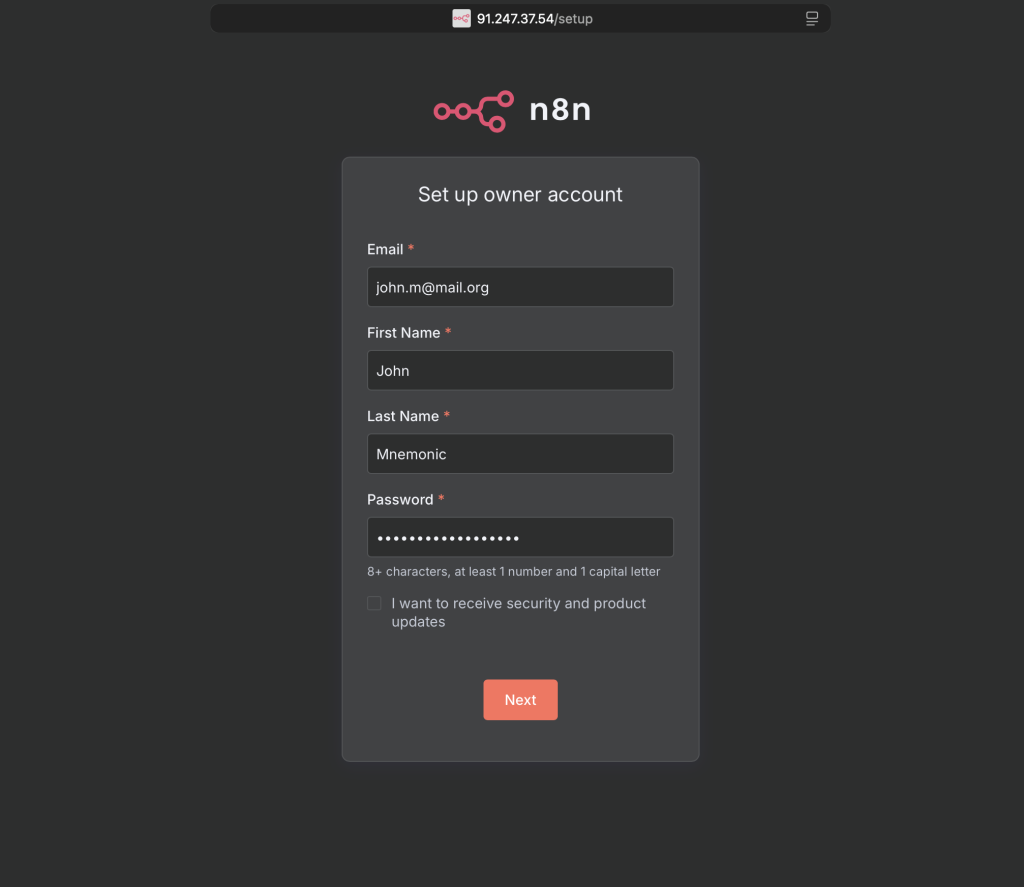
After payment, the server installation takes roughly half an hour, after which you’ll receive your server credentials by email along with a link to the n8n web panel. Follow the provided link, and you’ll be greeted by the initialization screen:
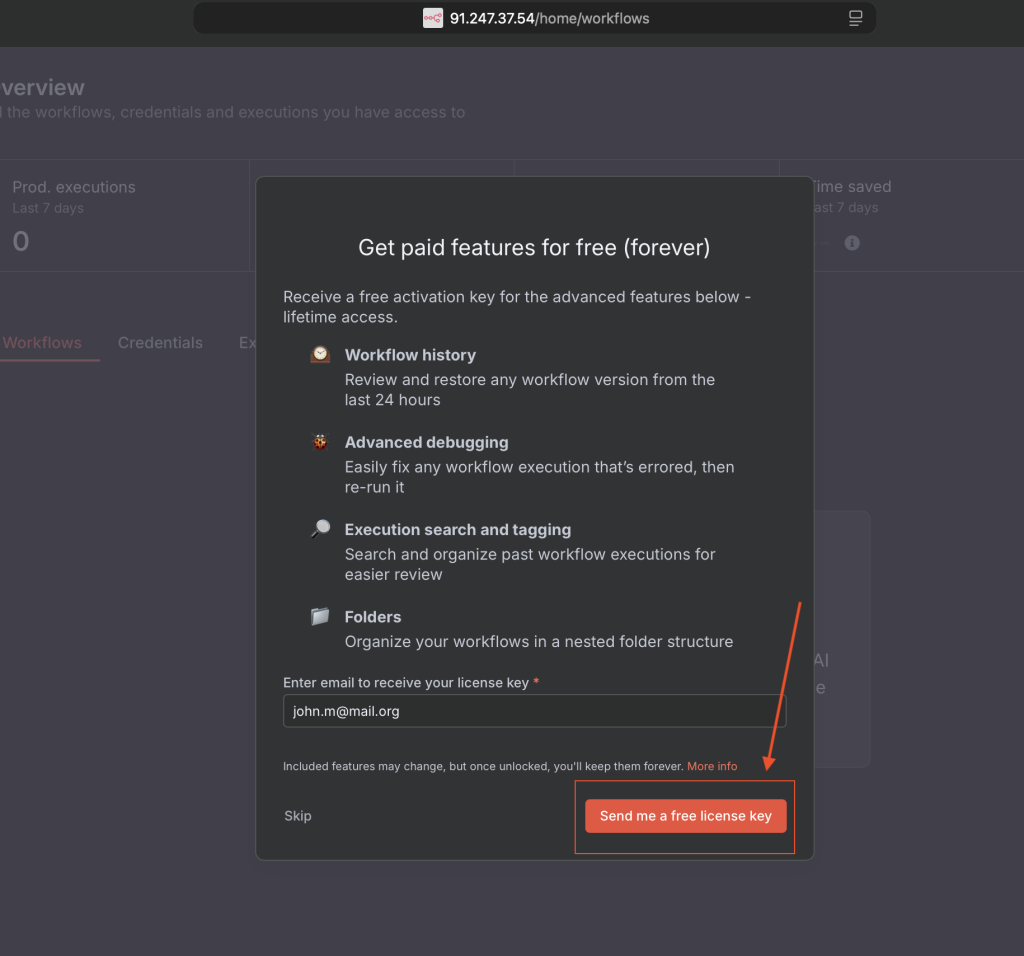
After logging into the system, you’ll see a screen prompting you to obtain a license key. Click the button to generate it and then follow the instructions sent to you by email.
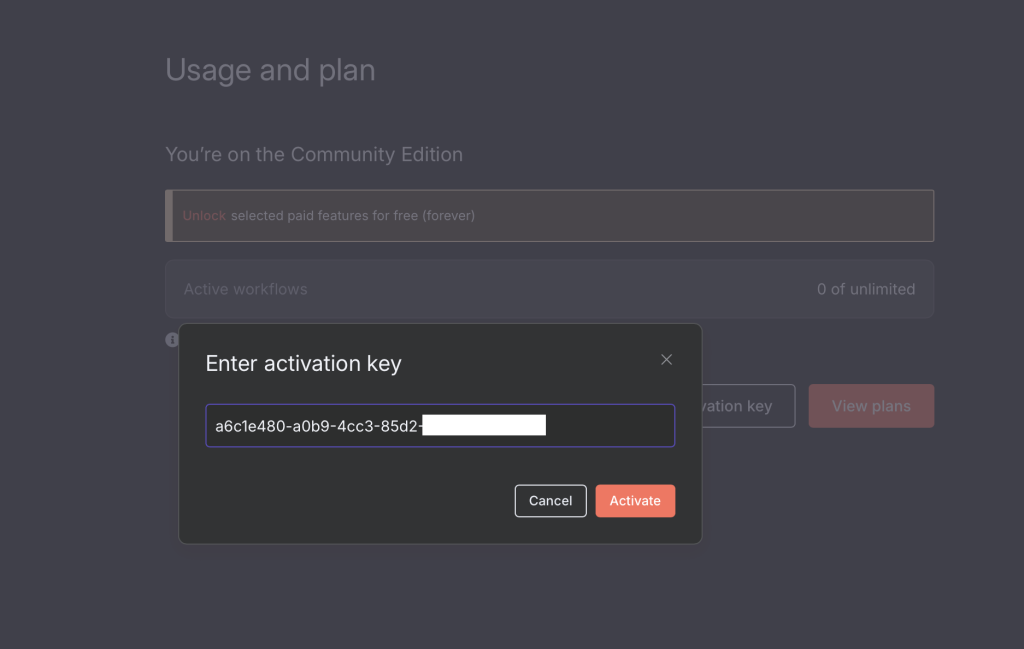
To activate the license, navigate to Settings → Usage and Plan. Click the license activation button and enter your key:
After these straightforward steps, you’ll have a working environment fully ready to build automations and any other processes you need. On the main page, you’ll see two prominent tiles offering to either create a new project or explore a ready-made demo project from the developers, which will help you get familiar with nodes, settings, and n8n’s capabilities.
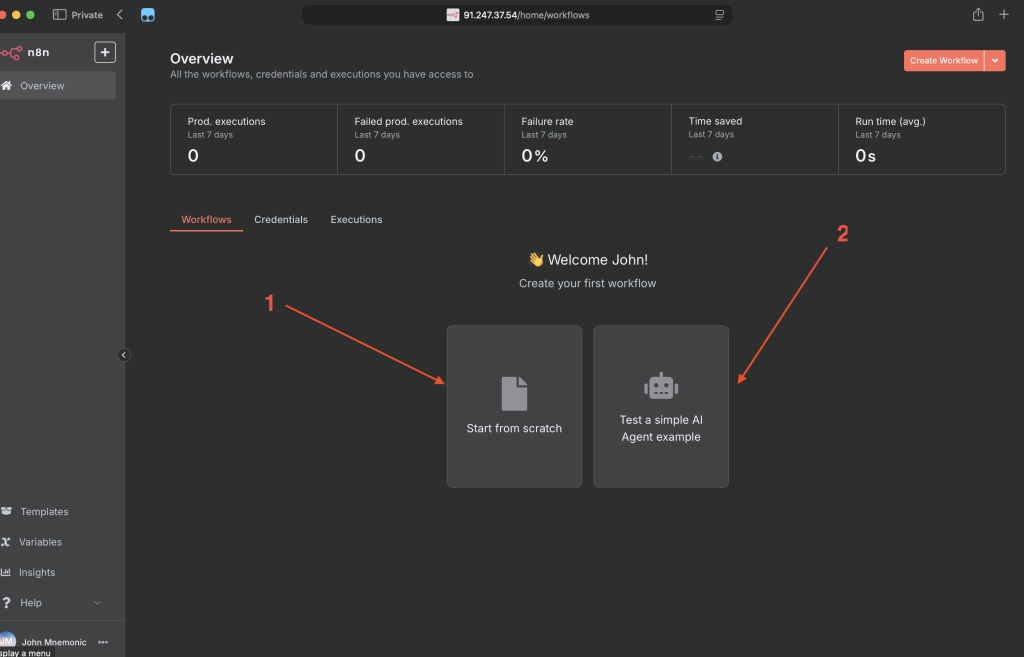
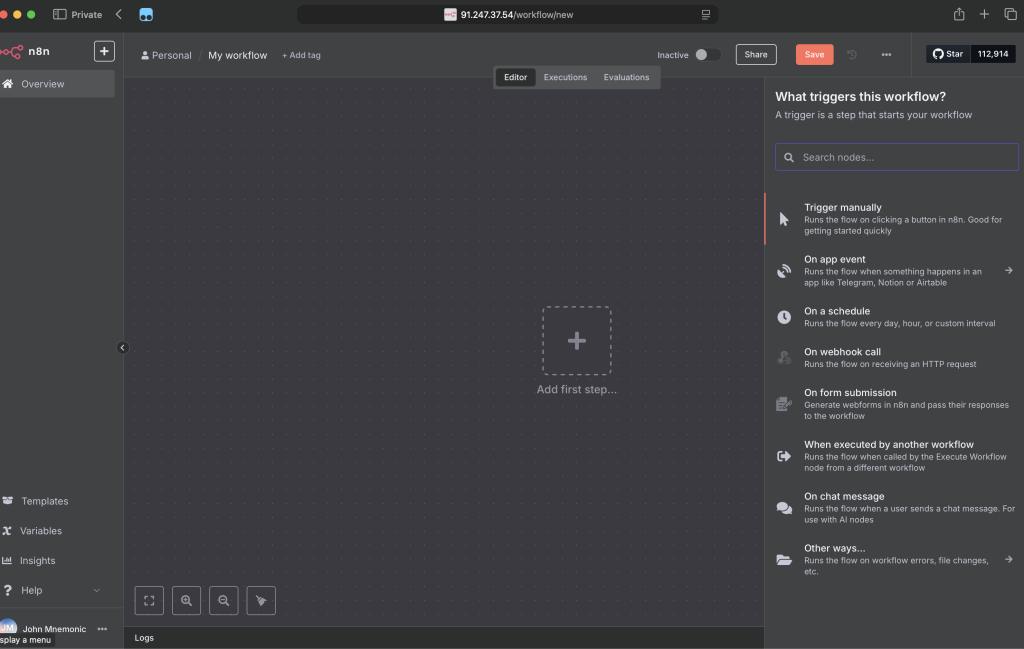
By clicking “Start from scratch,” you’ll launch a brand-new project from the ground up, with the ability to search for, add, and configure a full range of nodes.
n8n unlocks massive opportunities for automation and integration without the need to write complex code. Thanks to its flexibility, open-source nature, and a huge user community, this tool becomes a powerful ally in optimizing business processes of any scale – from personal tasks to large-scale enterprise projects.
With the automatic n8n deployment on our VDS, you get a fast and hassle-free start – literally within half an hour after payment, your server will be ready to roll. Friendhosting makes this journey even smoother and more reliable by providing stable infrastructure and quick assistance for any questions you might have.
If you run into any issues during setup, launch, or while working with n8n, you can always reach out to our 24/7 technical support. Friendhosting’s specialists will respond quickly to ensure your automation runs smoothly and delivers maximum value.
Launch your own automation workflows with Friendhosting – and let n8n make routine processes simpler, faster, and more reliable starting today!