

Let’s walk through the process of order renewal using the example of Progressive NVMe VDS:
Step 1. Log in to the billing panel.
Step 2. Click « Renew Order. »
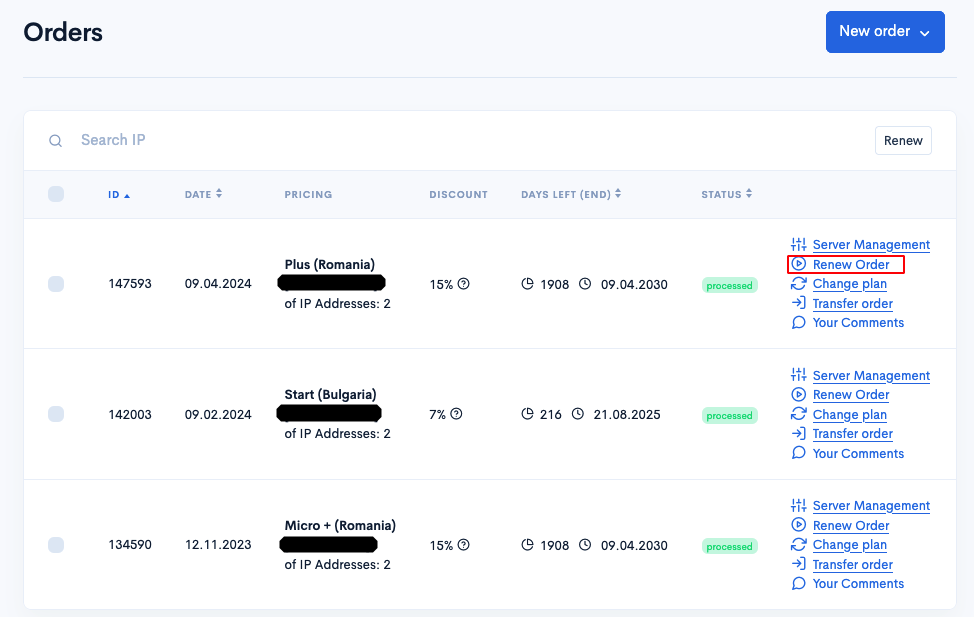
If the « Renew Order » button is missing, it may mean that an invoice for renewal has already been issued. In this case, go to the « Invoices » section to make the payment. You can also renew the order through the « Server Management » menu — « Payment » section.
Step 3. Select the renewal period.
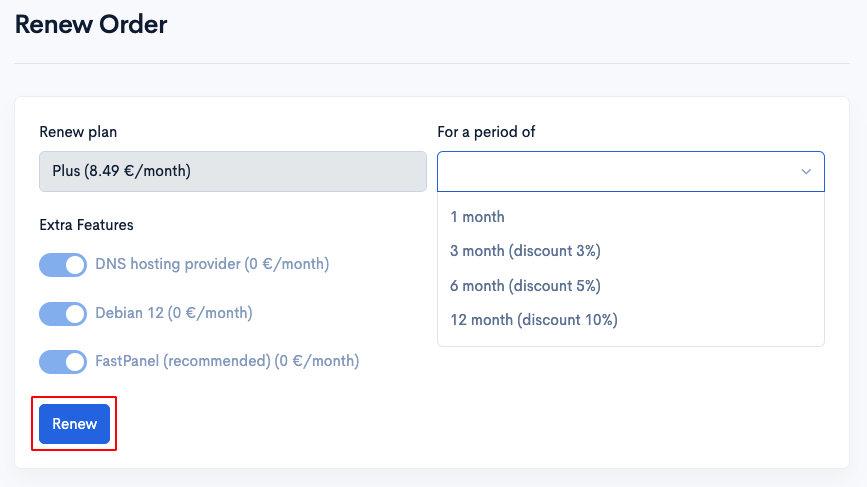
Choose the period for which you want to renew the order and click « Renew. »
Step 4. Pay the invoice.
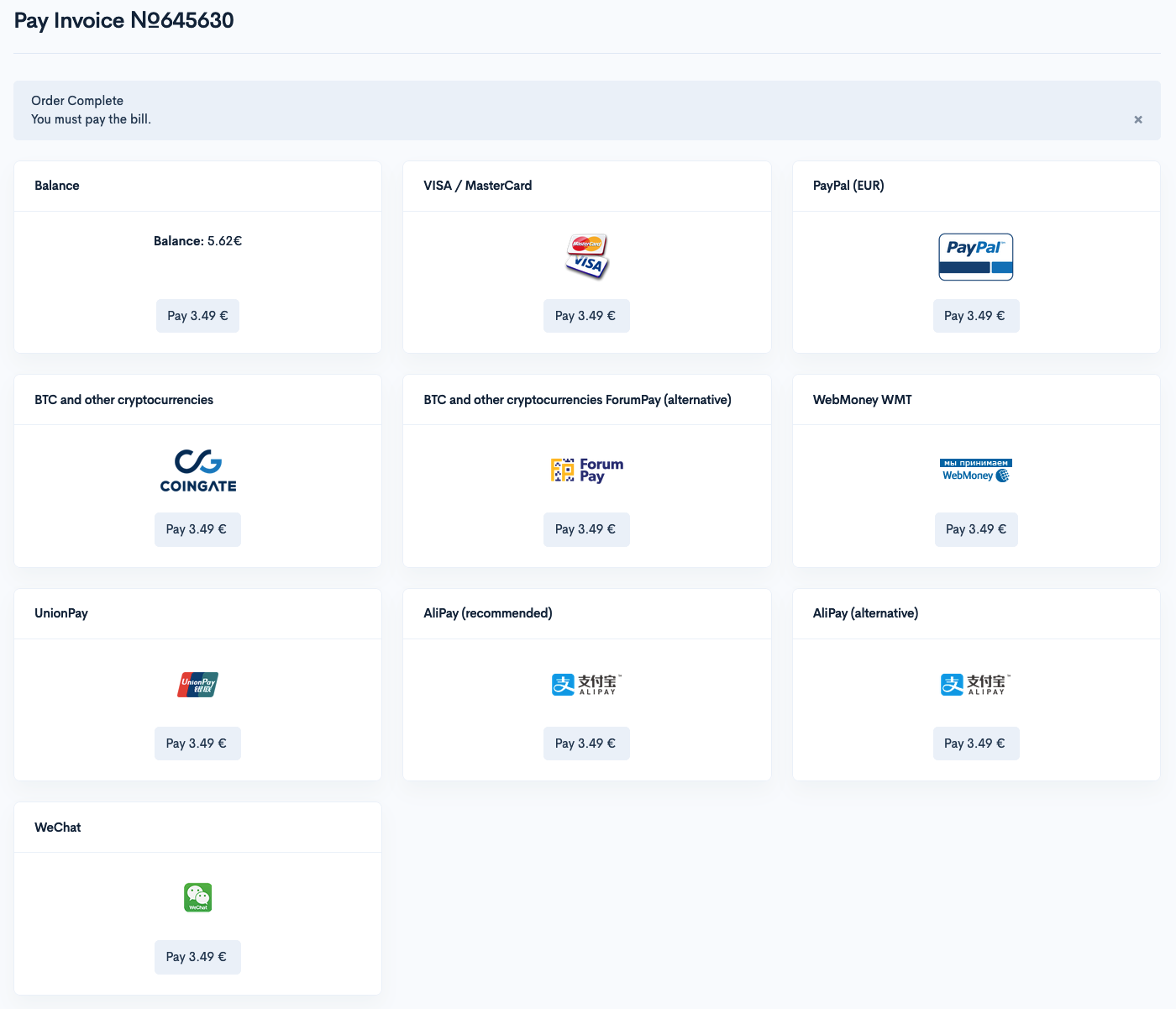
Pay the issued invoice to complete the renewal process.