

The described procedure for changing the tariff plan does not require data transfer, and all server settings will remain unchanged.
Step 1. Log in to your personal account. To change the tariff plan, go to the list of your orders. Each order has a „Change Plan“ button, as shown in the screenshot.

Changing the tariff plan is also available via the menu option Server Management – Payment.
Step 2. Click on the „Change Plan“ button and select the tariff plan you want to switch to.
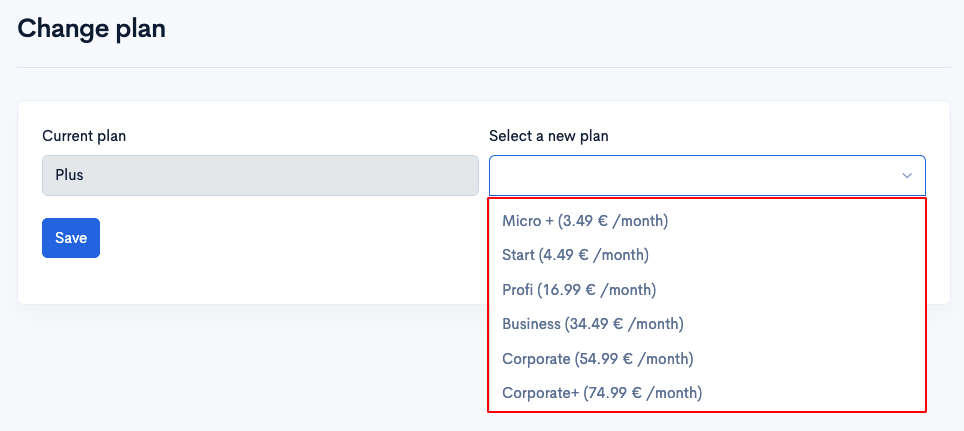
Click Save.
Step 3. An invoice will be generated for the difference in cost between the tariff plans for the remaining paid period. Pay this invoice.
Step 4. After the invoice is paid, a ticket titled „Plan Change“ will be automatically created for you. In this ticket, you need to coordinate with technical support to proceed with the tariff plan upgrade. During the tariff plan upgrade, there will be a downtime of approximately 15-20 minutes.